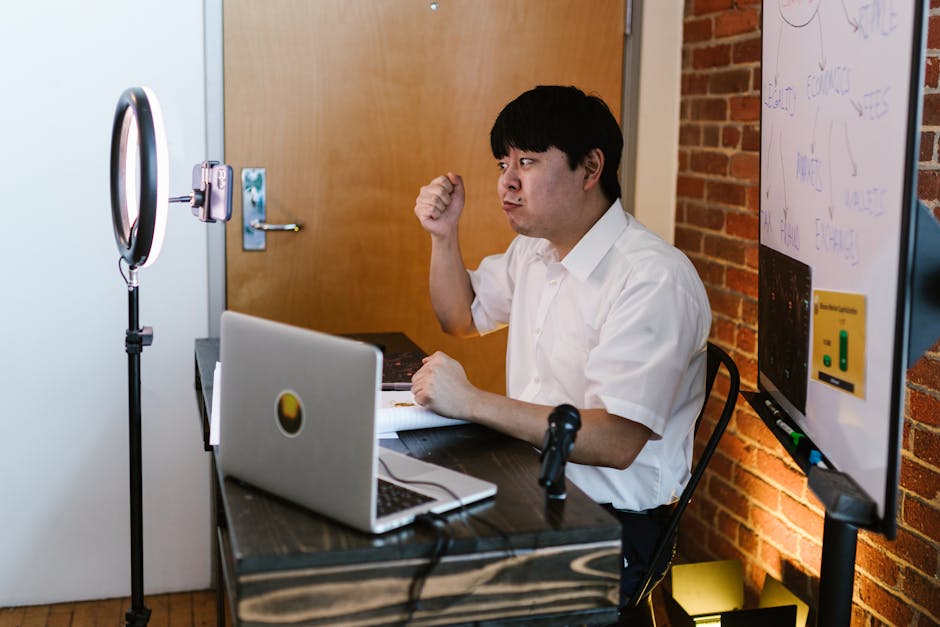
- A well-lit environment can make you appear more confident, professional, and energetic on camera.
- Poor lighting can negatively impact how you’re perceived by others on video calls.
- Good lighting can help reduce eye strain and improve visual quality during calls.
- Assessing your current lighting setup is crucial before making any improvements.
- Optimizing lighting can be achieved through simple techniques and minimal setup changes.
With the rise of remote work, video calls have become an essential part of our daily lives. However, a poorly lit home office can make even the most confident individual appear unprofessional on camera. I recently found myself in this predicament, struggling with a horrendous lighting setup in my mixed-use room. Despite the challenges, I was determined to find a solution that would enhance my webcam lighting without requiring a complete overhaul of my space. After some trial and error, I stumbled upon a few simple yet effective techniques that have significantly improved my video call experience.
Understanding the Importance of Lighting

Proper lighting is crucial for video calls, as it can greatly impact how we are perceived by others. A well-lit environment can make us appear more energetic, confident, and professional, while poor lighting can have the opposite effect. Furthermore, good lighting can also help to reduce eye strain and improve the overall visual quality of the call. As someone who spends a significant amount of time on video calls, I knew that I had to prioritize finding a solution to my lighting woes. By doing some research and experimenting with different techniques, I was able to gain a better understanding of the importance of lighting and how it can be optimized for video calls.
Assessing My Lighting Setup

Before I could start making improvements, I needed to assess my current lighting setup. My home office is a mixed-use room, which means that it serves multiple purposes, including as a guest room and a storage space. As a result, I had to work with the existing lighting fixtures, which consisted of a single overhead light and a few table lamps. I noticed that the overhead light was casting harsh shadows on my face, while the table lamps were creating unflattering glare on my screen. To combat these issues, I decided to invest in a few additional lighting tools, including a softbox and a ring light. These tools have been instrumental in helping me to achieve a more balanced and flattering lighting setup.
Implementing My Lighting Solution

With my new lighting tools in hand, I was able to start implementing my solution. I began by positioning the softbox to the side of my face, which helped to reduce the harsh shadows cast by the overhead light. I then placed the ring light in front of me, which provided a soft, even glow that helped to illuminate my face. To further enhance my lighting, I also made a few adjustments to my camera settings, including adjusting the brightness and contrast. By making these simple changes, I was able to significantly improve the quality of my video calls and appear more professional on camera.
Measuring the Impact

The impact of my new lighting setup has been noticeable, both in terms of the quality of my video calls and my overall confidence on camera. By providing a more balanced and flattering lighting environment, I have been able to project a more professional image and engage more effectively with my colleagues and clients. Additionally, the reduced eye strain and improved visual quality have made it easier for me to focus during long video calls. As someone who values productivity and professionalism, I am thrilled with the results of my lighting solution and would highly recommend it to anyone looking to enhance their video call experience.
Expert Perspectives
According to experts in the field, proper lighting is just one aspect of creating a professional video call setup. The New York Times recently published an article highlighting the importance of audio quality, camera angles, and backdrop selection in creating a polished and professional video call environment. By considering these factors and making a few simple adjustments, individuals can significantly enhance their video call experience and project a more confident and professional image.
As I look to the future, I am excited to continue exploring new ways to enhance my video call setup and stay ahead of the curve in terms of technology and best practices. With the rise of remote work showing no signs of slowing, it is likely that video calls will continue to play a major role in our professional lives. By prioritizing proper lighting and other key aspects of video call setup, individuals can ensure that they are well-equipped to succeed in this new landscape and make a strong impression on their colleagues and clients.
Source: WIRED